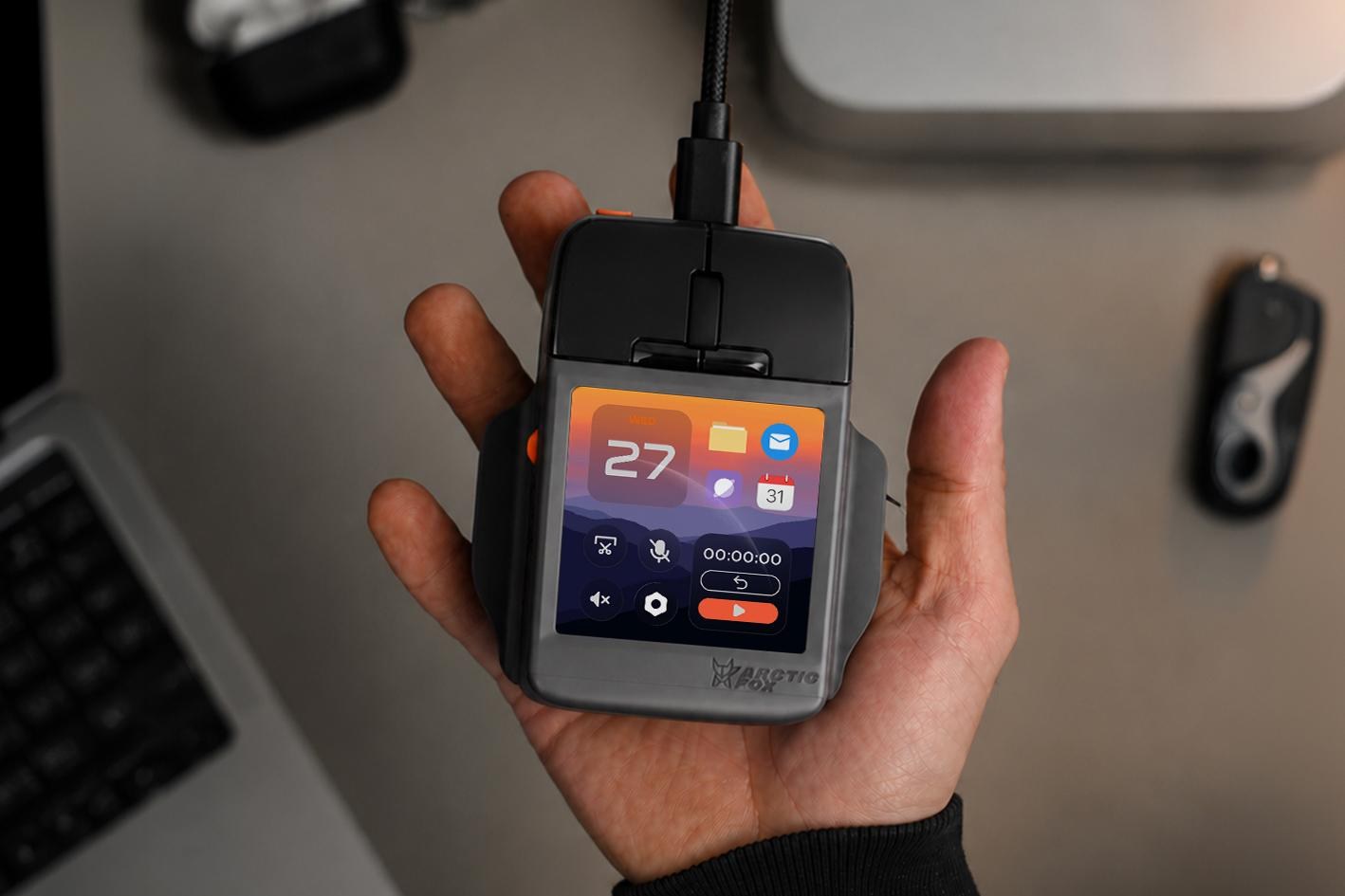
You can launch and control apps, check your calendar, scroll, and even type using the mouse’s 3-inch screen.You can launch and control apps, check your calendar, scroll, and even type using the mouse’s 3-inch screen.Oct 27, 2026, 5:00 PM UTCImage: Arctic Fox TechnologiesA company called Arctic Fox Technologies has announced a new multifunction mouse that forgoes a myriad of customizable shortcut buttons peppered across its surface for a compact touchscreen sitting beneath your hand. The Super Mouse may not prioritize ergonomics with its boxy design, but it can replace other peripherals on your desk, like a trackpad, macro pad, or streaming controller. If you’re faster at typing on your phone, the Super Mouse could potentially even replace a full-size keyboard with a smartphone-sized alternative that even includes swipe typing.The Super Mouse is now available for preorder through a Kickstarter crowdfunding campaign in which it’s discounted to $199 for backers, while full retail pricing will be $249. Delivery is expected to start in February 2027, but take that estimate with a grain of salt, as many Kickstarter campaigns have faced unforeseen delays.That price makes the Super Mouse more expensive than other companies’ attempts to merge mice and touchscreens. But while alternatives like Turtle Beach’s Command Series MC7 has just a 2.25-inch narrow display on the side, the Super Mouse features a 3.1-inch, 720 x 720 touchscreen positioned front and center beneath a pair of standard mouse buttons, a scroll wheel, and two customizable “hyper keys.”The Super Mouse doesn’t include a rechargeable battery and draws all the power it needs from a USB-C port, so using it wirelessly isn’t an option.Image: Arctic Fox TechnologiesThat touchscreen will be most useful as a way to quickly launch apps through what its creators call a “Control Panel” that can include up to 16 shortcuts, macros, or launchers. The display’s functionality will change contextually and will present relevant shortcuts based on what app you’re using. If you’re working with video in Adobe Premiere, for example, the touchscreen will include editing and playback shortcuts. But if you have a specific workflow need, or the app you’re using isn’t recognized, the Super Mouse’s functionality can be customized using the company’s Flow desktop app.The Super Mouse will present app-specific controls such as playback and editing shortcuts for Adobe Premiere.Image: Arctic Fox TechnologiesOther touchscreen features include event and meeting reminders when synced with Google Calendar, voice-to-text capabilities processed locally on the mouse itself, multiple user profiles, focus timers, and productivity tracking. The mouse also includes a gyroscope so you can control slideshows or scrub video by just moving it around. The only feature seemingly missing is the ability to go wireless. Instead of a rechargeable battery, the Super Mouse draws all the power it needs from a USB-C port, so you’ll always need to keep it tethered to your PC.Follow topics and authors from this story to see more like this in your personalized homepage feed and to receive email updates.Andrew LiszewskiThe Verge DailyA free daily digest of the news that matters most.Email (required)By providing your information, you agree to our Terms of Use and our Privacy Policy. We use vendors that may also process your information to help provide our services. This site is protected by reCAPTCHA and the Google Privacy Policy and Terms of Service apply.
The Super Mouse puts a touchscreen macro pad under your hand